
Hey there! As a supplier of 19 Inch Rack UPS, I've seen firsthand how crucial it is to ensure the safety of using these power backup systems. In this blog, I'll share some practical tips and best practices to help you keep your 19 Inch Rack UPS running safely and efficiently.
Understanding Your 19 Inch Rack UPS
Before we dive into safety measures, let's quickly go over what a 19 Inch Rack UPS is. A 19 Inch Rack UPS is a power supply unit designed to fit into a standard 19-inch rack enclosure. It provides backup power to critical equipment such as servers, networking devices, and telecommunications systems in case of a power outage. You can check out our 19 Inch Rack UPS for more details.
Installation Safety
The first step in ensuring the safety of your 19 Inch Rack UPS is proper installation. Here are some key points to keep in mind:
- Location: Choose a well-ventilated area with a stable surface to install your UPS. Avoid placing it in direct sunlight, near heat sources, or in damp environments. The temperature should be between 0°C and 40°C (32°F and 104°F), and the humidity should be between 20% and 80% non-condensing.
- Clearance: Make sure there is enough clearance around the UPS for proper ventilation. Leave at least 10 cm (4 inches) of space on all sides and the top of the unit.
- Wiring: Use the correct gauge of power cables and ensure they are properly connected. Avoid overloading the UPS by connecting too many devices. Refer to the user manual for the maximum load capacity of your UPS.
- Grounding: Proper grounding is essential for safety. Connect the UPS to a grounded electrical outlet using a three-prong plug.
Regular Maintenance
Regular maintenance is key to keeping your 19 Inch Rack UPS in good working condition. Here are some maintenance tasks you should perform:
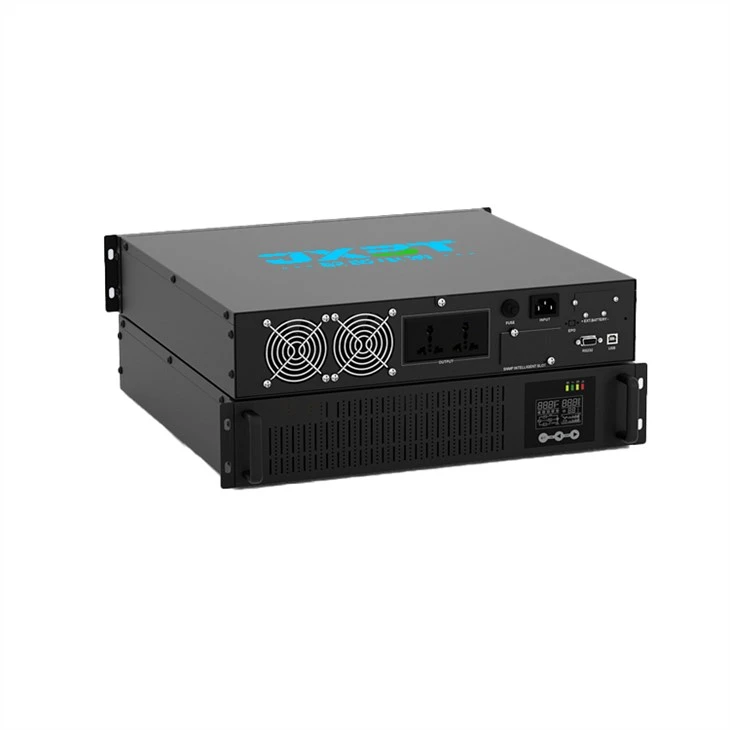
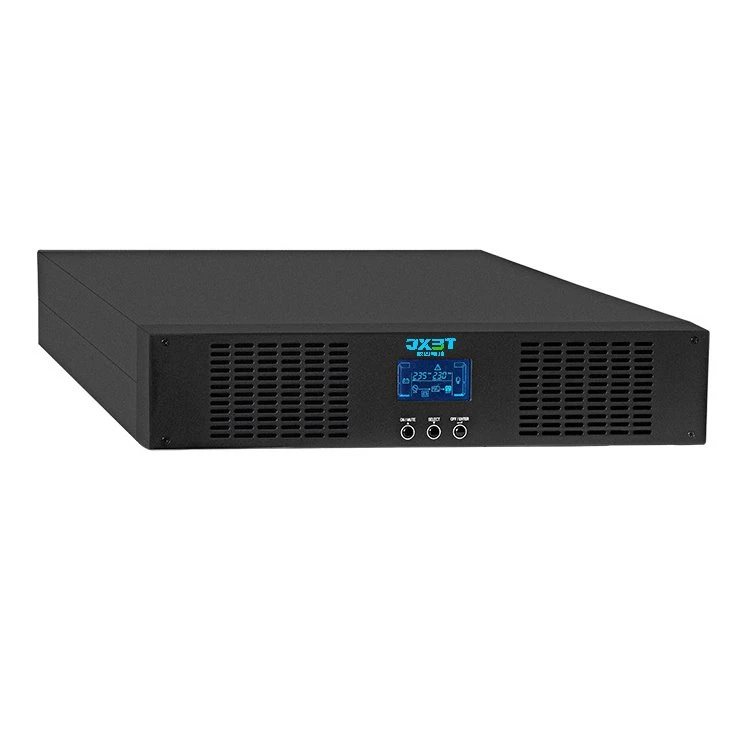
- Visual Inspection: Check the UPS regularly for any signs of damage, such as cracks, leaks, or loose connections. If you notice any issues, stop using the UPS immediately and contact a professional for repair.
- Battery Check: The battery is the heart of the UPS. Check the battery voltage and condition regularly using a multimeter. Replace the battery if it is old or damaged. Most UPS batteries need to be replaced every 3 to 5 years.
- Firmware Update: Keep the UPS firmware up to date to ensure optimal performance and security. Check the manufacturer's website for the latest firmware updates and follow the instructions to install them.
- Load Testing: Periodically perform a load test to ensure the UPS can provide backup power for the required duration. This will help you identify any potential issues with the battery or the UPS itself.
Usage Safety
When using your 19 Inch Rack UPS, there are several safety precautions you should take:
- Load Management: Do not exceed the maximum load capacity of the UPS. Overloading the UPS can cause it to overheat, damage the battery, or even lead to a fire. Make sure to calculate the total power consumption of all the devices connected to the UPS and stay within the recommended limit.
- Shutdown Procedure: In case of a power outage, follow the proper shutdown procedure for your equipment. First, turn off non-essential devices to conserve battery power. Then, save your work and shut down your computers and other critical equipment in an orderly manner.
- Emergency Shutdown: If you notice any abnormal behavior, such as smoke, sparks, or a burning smell, immediately turn off the UPS and disconnect it from the power source. Do not attempt to repair the UPS yourself. Contact a professional for assistance.
Monitoring and Alerts
Most modern 19 Inch Rack UPS come with monitoring and alert features that can help you keep track of the UPS status and receive notifications in case of any issues. Here's how you can use these features effectively:
- Software Monitoring: Install the UPS monitoring software provided by the manufacturer on your computer. This software allows you to monitor the UPS status, battery level, and load capacity in real-time. You can also set up alerts for low battery, overloading, or other critical events.
- Remote Monitoring: If you have multiple UPS units or need to monitor the UPS from a remote location, consider using a remote monitoring system. This can be a web-based interface or a mobile app that allows you to access the UPS status and receive alerts anywhere, anytime.
Choosing the Right UPS
Selecting the right 19 Inch Rack UPS for your needs is crucial for safety and performance. Here are some factors to consider:
- Power Capacity: Determine the total power consumption of your equipment and choose a UPS with a sufficient power capacity. It's a good idea to choose a UPS with a slightly higher capacity than your actual needs to allow for future expansion.
- Runtime: Consider how long you need the UPS to provide backup power. This will depend on the type of equipment you are using and how quickly you can restore power in case of an outage. Look for a UPS with a runtime that meets your requirements.
- Type of UPS: There are different types of UPS available, such as online UPS, line-interactive UPS, and standby UPS. Each type has its own advantages and disadvantages. For critical applications, an online UPS is usually the best choice as it provides continuous power protection. You can explore our Rack Mounted Line Interactive UPS for more options.
Conclusion
Ensuring the safety of using a 19 Inch Rack UPS is essential for protecting your critical equipment and data. By following the tips and best practices outlined in this blog, you can minimize the risk of accidents and keep your UPS running smoothly.
If you're in the market for a reliable 19 Inch Rack UPS, we offer a wide range of products to meet your needs. Check out our 1000va Rack Mounted UPS Power Supply for a high-quality solution. If you have any questions or need help choosing the right UPS for your application, don't hesitate to contact us for a free consultation and to start the procurement discussion.
References
- Manufacturer's user manuals for 19 Inch Rack UPS
- Industry standards and guidelines for UPS installation and maintenance