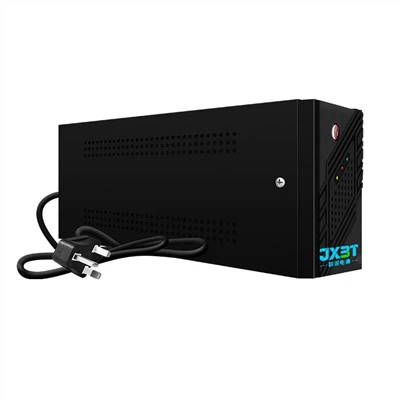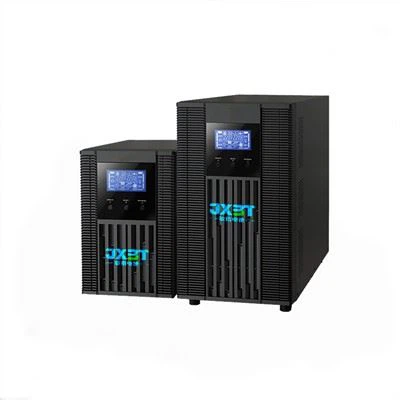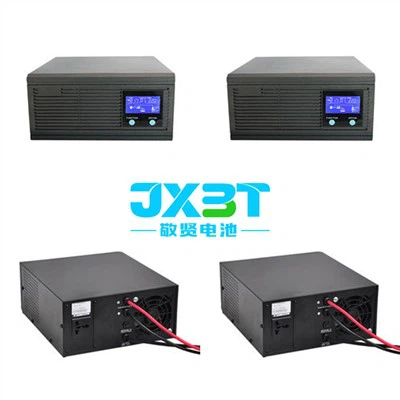

So, you're thinking about getting a UPS Online 1000va for your place, and you're probably wondering, "Is it difficult to install?" Well, I'm here to tell you all about it. I'm a supplier of UPS Online 1000va, so I've seen the whole installation process from start to finish.
First off, let's understand what a UPS Online 1000va is. It's an uninterruptible power supply (UPS) with a capacity of 1000 volt - amperes. This thing is like a safety net for your valuable electronics. When the power goes out, it immediately kicks in, giving you enough time to save your work on the computer or safely shut down sensitive equipment.
Now, let's talk about the installation process. Honestly, it's not as hard as it might seem at first glance. But like any technical thing, it does require a bit of attention and following the right steps.
Preparation
Before you even start the installation, you need to do some prep work. First, find a suitable location for the UPS. It should be a cool, dry place with good ventilation. You don't want it sitting in a hot corner or a damp basement. Also, make sure there's enough space around it so that air can circulate freely.
Next, gather all the tools you'll need. Usually, you won't need a whole bunch of fancy stuff. A basic screwdriver might be all you need, depending on how the UPS is mounted.
Unpacking and Inspection
Once you've got the location and tools ready, it's time to unpack the UPS. Carefully take it out of the box and check for any visible damage. If you find any, don't try to install it right away. Contact us, the supplier, and we'll sort things out. You'll also find a user manual in the box. It's important to give this a quick read before you proceed. It's got all the important details about the installation and operation of the UPS.
Connecting the Cables
The most crucial part of the installation is connecting the cables. The UPS has different types of ports, and you need to connect the right cables to the right ports.
The first cable you'll connect is the power cord that goes from the UPS to the wall outlet. This is how the UPS gets its power when the main power is on. Make sure it's firmly plugged in.
Then, you'll connect the devices you want to protect to the UPS. You can plug in your computer, monitor, router, and other important electronics. Just be careful not to overload the UPS. The 1000va capacity means it can handle a certain amount of power, so check the power ratings of your devices and make sure they don't exceed the UPS's capacity.
Battery Installation
Most UPS Online 1000va units come with batteries that need to be installed. This is usually a straightforward process. Open the battery compartment (which you can find on the back or the bottom of the UPS in most cases), and carefully place the batteries in. Make sure the battery connections are secure and tight. If you're not sure about how to do this, the user manual will have detailed instructions.


Testing
After you've connected all the cables and installed the batteries, it's time to test the UPS. First, turn on the UPS. You should see some lights come on, indicating that it's getting power. Then, try unplugging the main power cord from the wall outlet. The UPS should immediately take over, and your connected devices should keep running. If this happens, then congratulations! You've successfully installed your UPS Online 1000va.
Potential Challenges
Now, I won't say that there are no challenges at all. Sometimes, the battery connections can be a bit tricky, especially if you're not used to working with electrical components. Also, figuring out the right combination of devices to connect without overloading the UPS can be a bit of a puzzle. But don't worry, if you run into any problems, you can always reach out to us. We're here to help.
Other UPS Options
If the UPS Online 1000va isn't quite what you need, we have other great options too. For example, we offer the 8000W Online UPS With Batteries. This one has a much higher power capacity, so it's perfect for larger setups or industrial applications.
Another option is the Intelligent UPS 10KVA. It's got some smart features that allow you to monitor and manage the UPS remotely.
And if you're looking for something a bit smaller but still reliable, the 1 Phase 3kva UPS Backup might be a good fit.
Conclusion
In conclusion, installing a UPS Online 1000va isn't all that difficult. With a bit of preparation, following the instructions, and a little bit of patience, you can have it up and running in no time. And remember, if you have any questions or run into any issues during the installation process, we're just a message away.
If you're interested in purchasing a UPS Online 1000va or any of our other UPS products, I encourage you to contact us for procurement discussions. We'll be happy to help you find the best UPS solution for your needs.
References
- General knowledge about UPS installation and operation from practical experience.
- Product manuals of UPS Online 1000va, 8000W Online UPS With Batteries, Intelligent UPS 10KVA, and 1 Phase 3kva UPS Backup.