
Hey there! As a supplier of Offline UPS Systems, I often get asked a bunch of questions about how our products work and what they can be used with. One question that pops up quite a bit is, "Can an Offline UPS System be used with a monitor?" Well, let's dive right into it and find out.
First off, let's quickly go over what an Offline UPS System is. An Offline UPS, also known as a standby UPS, is a type of uninterruptible power supply that provides power to connected devices only when there's a power outage. When the power is normal, the device gets power directly from the main power source, and the UPS just sits there, monitoring the power. Once it detects a power outage, it kicks in and starts supplying power from its battery.
Now, can it be used with a monitor? The short answer is yes, it can. Monitors are pretty common devices that most of us use every day, whether it's for work, gaming, or just watching some videos. And just like any other electronic device, they can benefit from the protection and backup power that an Offline UPS System provides.
Let's talk about why you might want to use an Offline UPS with your monitor. One of the main reasons is to protect your monitor from power surges. Power surges can happen for a variety of reasons, like lightning strikes, electrical grid issues, or even when large appliances in your home or office turn on and off. These surges can cause damage to your monitor's internal components, leading to issues like screen flickering, color distortion, or even complete failure. An Offline UPS System can act as a buffer between your monitor and the main power source, absorbing the excess voltage and protecting your monitor from harm.
Another reason is to provide backup power in case of a power outage. Imagine you're in the middle of an important presentation, working on a big project, or in the middle of an intense gaming session, and suddenly the power goes out. Without a UPS, your monitor will shut off immediately, and you might lose all your unsaved work. But if you have an Offline UPS connected to your monitor, it will kick in and keep your monitor running for a certain period of time, giving you enough time to save your work and shut down your computer properly.
So, how do you choose the right Offline UPS System for your monitor? Well, the first thing you need to consider is the power requirements of your monitor. Most monitors have a power rating in watts, which you can usually find on the back of the monitor or in the user manual. You'll want to choose an Offline UPS System that has a wattage rating that's equal to or greater than the power requirements of your monitor. For example, if your monitor has a power rating of 50 watts, you might want to choose an Offline UPS System with a wattage rating of at least 100 watts to give you some extra headroom.
Here are some of our popular Offline UPS Systems that you might consider for your monitor:
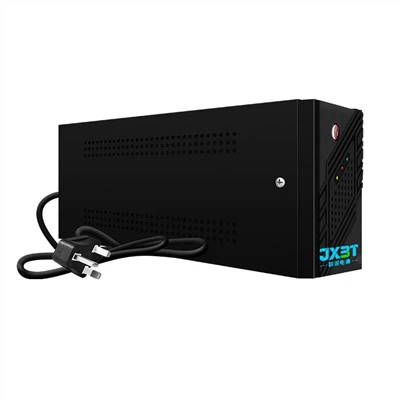
- 360w Offline UPS: This is a great option for smaller monitors or if you have a few other low-power devices that you want to connect to the UPS as well. It provides reliable backup power and surge protection.
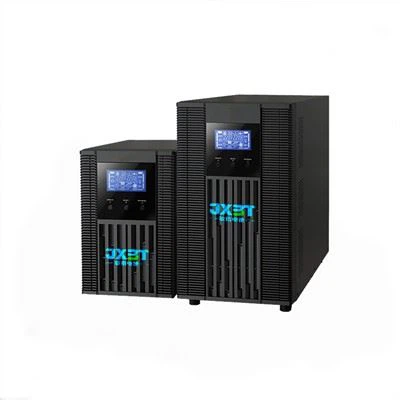
- 1000va Ups Offline: If you have a larger monitor or multiple monitors, or if you want to connect other high-power devices like a gaming PC, this UPS is a good choice. It has a higher power capacity and can handle more demanding loads.
- Single Phase UPS 2000va: This is our most powerful Offline UPS System, suitable for large offices or data centers where you have multiple monitors and other high-power equipment. It provides long-lasting backup power and advanced surge protection features.
Once you've chosen the right Offline UPS System for your monitor, the next step is to connect it properly. It's actually pretty easy. First, make sure the UPS is turned off. Then, plug your monitor's power cord into one of the UPS's outlets. Finally, plug the UPS into a wall outlet. That's it! Now your monitor is connected to the UPS and ready to go.


It's also important to note that while an Offline UPS System can provide backup power and surge protection for your monitor, it's not a substitute for proper maintenance and care. You should still make sure to clean your monitor regularly, avoid exposing it to extreme temperatures or humidity, and follow the manufacturer's instructions for use and storage.
In conclusion, using an Offline UPS System with your monitor is a great way to protect your investment and ensure that you can keep using your monitor even in the event of a power outage or power surge. Whether you're a casual user or a professional, having a reliable UPS can give you peace of mind and help you avoid costly repairs or replacements.
If you're interested in purchasing an Offline UPS System for your monitor or have any questions about our products, feel free to reach out to us. We're here to help you find the right solution for your needs.
References
- Various industry articles on UPS systems and power protection
- Manufacturer's documentation for Offline UPS Systems