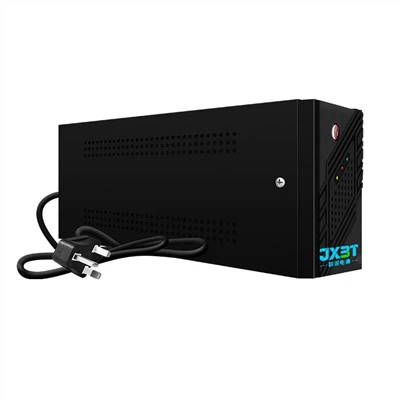

As a supplier of 600VA Offline UPS, I understand the importance of keeping your power backup system up - to - date. Upgrading your 600VA Offline UPS can enhance its performance, extend its lifespan, and provide better protection for your valuable equipment. In this blog post, I'll share some practical steps and considerations on how to upgrade a 600VA Offline UPS.
Step 1: Assess Your Current UPS
Before you start the upgrade process, it's essential to have a clear understanding of your current 600VA Offline UPS. Check its age, condition, and performance. Look for signs of wear and tear, such as bulging batteries, loose connections, or unusual noises. You can refer to the user manual to understand its technical specifications, including input and output voltage, frequency, and battery type. This assessment will help you determine what kind of upgrade is necessary.


Step 2: Evaluate Your Power Requirements
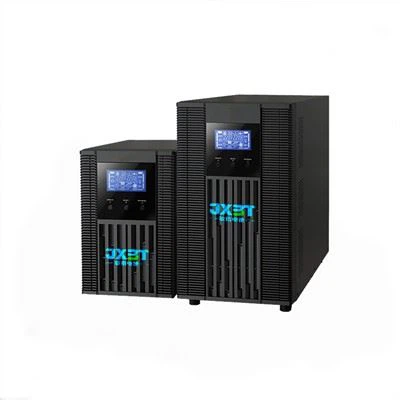
Your power requirements may have changed since you first purchased the 600VA Offline UPS. Maybe you've added more devices or upgraded your existing equipment. Calculate the total power consumption of all the devices you want to connect to the UPS. You can find the power rating of each device on its label or in the user manual. Make sure to account for any future expansion plans. If your current UPS can no longer meet your power needs, you may need to consider upgrading to a higher - capacity model. For example, you might be interested in our 650va Offline UPS or Smart UPS 1kva, which can provide more power and better protection.
Step 3: Upgrade the Battery
The battery is one of the most critical components of a UPS. Over time, the battery's capacity will degrade, reducing the backup time of the UPS. If your UPS is still in good condition but has a weak battery, upgrading the battery can significantly improve its performance.
First, identify the type of battery your UPS uses. Most 600VA Offline UPSs use lead - acid batteries. When choosing a new battery, make sure it has the same voltage and capacity as the original battery. You can also consider upgrading to a high - performance battery, such as a lithium - ion battery, which offers longer lifespan, faster charging, and better performance in extreme temperatures.
When replacing the battery, always follow the manufacturer's instructions. Make sure to disconnect the UPS from the power source and any connected devices before removing the old battery. Wear appropriate safety gear, such as gloves and safety glasses, to protect yourself from battery acid.
Step 4: Consider Software and Firmware Upgrades
Many modern UPSs come with software and firmware that can be upgraded to improve performance and functionality. Check the manufacturer's website for any available updates for your 600VA Offline UPS. Software upgrades can provide new features, such as remote monitoring and management, and improve the compatibility with your operating system. Firmware upgrades can fix bugs, enhance the stability of the UPS, and optimize its performance.
To perform a software or firmware upgrade, download the latest version from the manufacturer's website. Follow the installation instructions carefully. Make sure your UPS is connected to a stable power source and that you have a backup of any important data on your connected devices before starting the upgrade process.
Step 5: Upgrade the Surge Protection
Surge protection is an important feature of a UPS, as it helps protect your devices from power surges and spikes. If your current UPS has basic surge protection or if you want to enhance it, you can consider upgrading the surge protection module.
Some UPSs allow you to replace the surge protection module easily. Look for a module with a higher joule rating, which indicates better surge - protection capabilities. When installing the new surge - protection module, make sure to follow the manufacturer's instructions.
Step 6: Replace the Internal Components
If your UPS is old or has been damaged, you may need to replace some of its internal components. This could include the inverter, charger, or control board. However, replacing internal components requires technical knowledge and skills. If you're not experienced in working with electrical components, it's best to hire a professional technician.
Before replacing any internal components, make sure you have the correct replacement parts. You can order them from the manufacturer or a reputable parts supplier. Once you have the parts, follow the manufacturer's repair guide to disassemble the UPS, remove the old component, and install the new one.
Step 7: Test the Upgraded UPS
After completing the upgrade, it's crucial to test the UPS to ensure it's working properly. Connect the UPS to the power source and turn it on. Check the indicator lights to make sure it's functioning normally. Then, connect some of your devices to the UPS and test the backup function. You can simulate a power outage by unplugging the UPS from the main power source. Make sure your devices continue to run smoothly during the backup period.
If you encounter any problems during the testing process, such as the UPS not turning on or the backup time being shorter than expected, refer to the user manual or contact the manufacturer's customer support for assistance.
Conclusion
Upgrading a 600VA Offline UPS can be a cost - effective way to improve its performance and extend its lifespan. By following these steps, you can ensure a successful upgrade. Whether you're upgrading the battery, software, or internal components, make sure to choose high - quality parts and follow the manufacturer's instructions.
If you're interested in upgrading your 600VA Offline UPS or are considering purchasing a new UPS with higher capacity, such as our 650va Offline UPS, Smart UPS 1kva, or Offline Ups For Home 900w, please feel free to contact us for more information. We're here to help you find the best power - backup solution for your needs.
References
- UPS User Manuals
- Industry Standards and Guidelines for UPS Upgrades
- Technical Documentation from UPS Manufacturers