
How long can an Offline UPS System provide backup power?


As a supplier of Offline UPS Systems, I often get asked the question: How long can an Offline UPS System provide backup power? This is a crucial question for anyone considering using an Offline UPS to protect their electronic devices from power outages. In this blog post, I'll delve into the factors that determine the backup power duration of an Offline UPS System and provide some practical insights to help you understand and plan for your power backup needs.
Understanding Offline UPS Systems
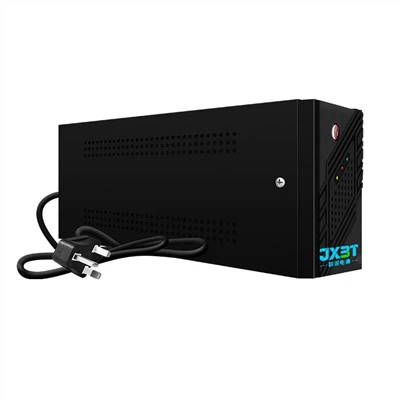
Before we discuss the backup power duration, let's briefly understand what an Offline UPS System is. An Offline UPS, also known as a standby UPS, is the most common and cost - effective type of UPS. It operates in standby mode under normal power conditions, with the utility power directly supplying the connected equipment. When a power outage occurs, the Offline UPS quickly switches to battery power, providing electricity to the connected devices.
Factors Affecting Backup Power Duration
- Battery Capacity
- The capacity of the battery in the Offline UPS is one of the most significant factors influencing backup power duration. Batteries are typically rated in amp - hours (Ah) or watt - hours (Wh). A higher battery capacity means more stored energy and, consequently, a longer backup time. For example, an Offline UPS with a large 12V, 7Ah battery will generally provide more backup power than one with a 12V, 4Ah battery.
- Load Capacity
- The amount of power drawn by the connected devices, known as the load, has a direct impact on the backup time. The more power the devices consume, the faster the battery will drain. An Offline UPS has a maximum load capacity, usually measured in volt - amperes (VA) or watts (W). If you connect devices that draw close to the maximum capacity of the UPS, the backup time will be relatively short. For instance, if you have a 600va Offline UPS Power For Computer with a rated capacity of 600VA, and you connect devices that consume 500VA, the backup time will be much less compared to if you only connect devices that consume 100VA.
- Battery Age and Condition
- Over time, the performance of the battery in an Offline UPS degrades. A new battery will hold a greater charge and provide longer backup power compared to an old, worn - out battery. Factors such as frequent deep discharges, high temperatures, and extended periods of inactivity can all accelerate battery aging. Regular battery maintenance, such as checking the electrolyte levels (for lead - acid batteries) and keeping the battery at an appropriate temperature, can help extend its lifespan and maintain its backup power capabilities.
- Efficiency of the UPS
- The efficiency of the Offline UPS also affects the backup power duration. The efficiency is the ratio of the power output to the power input. A more efficient UPS will waste less energy during the conversion process from battery power to AC power, allowing the battery to power the connected devices for a longer time. Modern Offline UPS systems are designed to have high efficiency, but older or lower - quality models may have significantly lower efficiency ratings.
Calculating Backup Power Duration
To calculate the approximate backup power duration of an Offline UPS System, you can use the following formula (assuming a simple resistive load for simplicity):
[ Backup\ time\ (hours)=\frac{Battery\ capacity\ (Wh)}{Load\ power\ (W)}]
For example, if you have an Offline UPS with a battery capacity of 240Wh and you connect a device with a power consumption of 60W, the estimated backup time would be:
[Backup\ time=\frac{240Wh}{60W} = 4\ hours]
However, in real - world scenarios, the calculation can be more complex due to factors such as the non - linear nature of some loads (e.g., computers with power supplies that have varying power demands) and the efficiency of the UPS.
Real - World Applications and Expected Backup Times
- Home Use
- For home users, an Offline UPS is often used to protect essential devices such as computers, routers, and small home appliances. A UPS Power Supply For Home with a capacity of around 600VA can provide backup power for a desktop computer and a router for about 15 - 30 minutes, depending on the power consumption of the devices. This is usually sufficient time to save your work on the computer and gracefully shut down the devices.
- Small Office Use
- In a small office setting, an Offline UPS may be used to protect multiple computers, printers, and networking equipment. A larger Offline UPS with a capacity of 1000VA or more can provide backup power for a few computers and associated devices for 30 minutes to an hour. This allows employees to save their work, close applications, and shut down the systems properly in case of a power outage.
How to Optimize Backup Power Duration
- Right - Sizing the UPS
- To ensure the longest possible backup power duration, it's important to choose an Offline UPS with a capacity that matches your actual load requirements. Don't oversize or undersize the UPS. An oversized UPS may be more expensive and may not be fully utilized, while an undersized UPS will have a very short backup time.
- Reduce Unnecessary Loads
- Disconnect any non - essential devices from the UPS during a power outage. For example, if you have a UPS powering a computer and a few peripherals, turn off extra monitors, speakers, or other devices that are not immediately needed. This will reduce the overall load on the UPS and extend the backup time.
- Battery Maintenance
- Regularly maintain the battery in your Offline UPS. This includes following the manufacturer's recommendations for charging, discharging, and storage. For lead - acid batteries, check the electrolyte levels periodically and keep the battery clean and free of corrosion.
Contact Us for Your UPS Needs
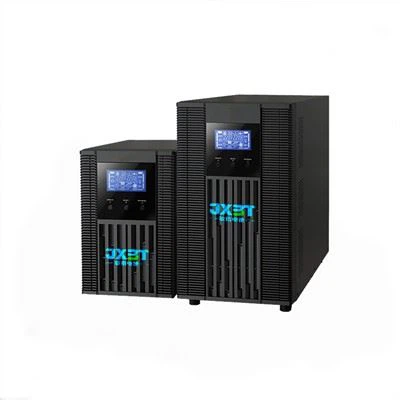
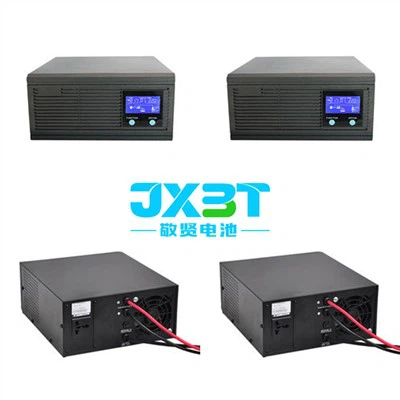
If you're in the market for an Offline UPS System and want to ensure that you get the right product with the optimal backup power duration for your needs, we're here to help. Our Offline UPS 600va and other models are designed to provide reliable backup power. We have a wide range of Offline UPS systems with different capacities and features to meet various applications.
Contact us to discuss your specific requirements. Our team of experts can help you select the most suitable Offline UPS System and provide you with detailed information about its backup power capabilities.
References
- "UPS Systems Handbook" by ABC Publishing.
- Manufacturer's technical specifications of various Offline UPS models.
- Industry research reports on power backup solutions.